

Issuing an invoice
Issuing transforms a draft invoice into accounting truth. Here’s exactly what happens.
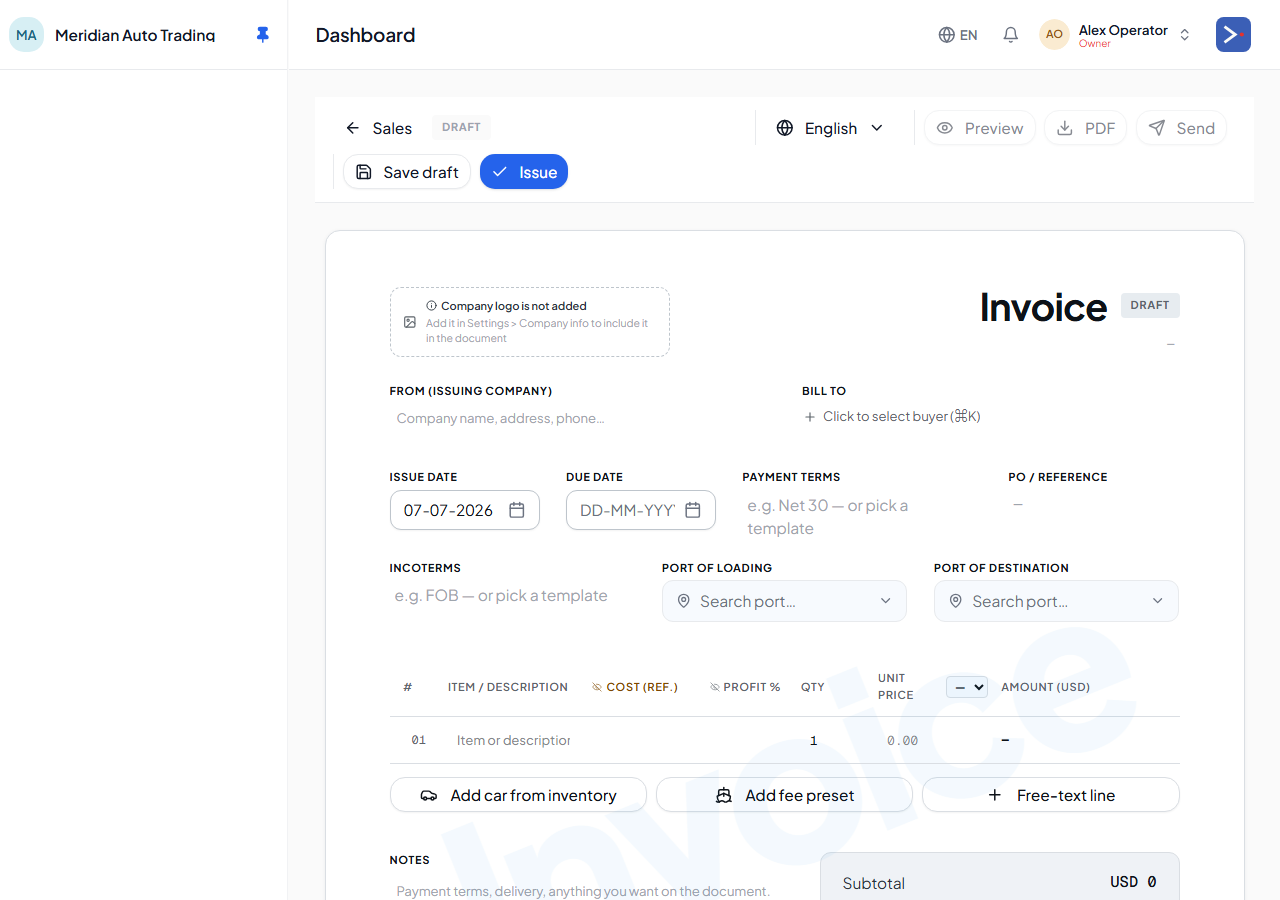
The user flow
Section titled “The user flow”-
From the Cars page, select cars to sell, click Create invoice (or open
/invoices/newand pre-seed via the?cars=12,17,22URL param). -
Pick the buyer counterparty and currency. Add car lines (auto-seeded from selection) and optional service lines.
-
Set tax rate (per destination jurisdiction).
-
Review the GL preview on the right — every line that will post when you issue.
-
Click Issue.
What happens when you issue
Section titled “What happens when you issue”For an N-car invoice with M service lines, issuing:
- Records the sale price and tax for each car line, and opens the amount the buyer owes you (or moves straight to a vault if paid immediately).
- For principal cars you own (not consignment), recognizes that car’s full landed cost against your inventory — this is how the car leaves your stock.
- Records revenue and tax for any service lines (inspection, documents, courier, brokerage) the same way.
- If the buyer has open customer deposits on file, applies them against the new invoice automatically, so the amount they still owe reflects only the remainder.
- Flips each car’s status:
purchased→sold_locally, orshipped/arrived→sold_import.
For the exact accounting entries behind each of these steps, see How your money flows.
Consignment invoices are different
Section titled “Consignment invoices are different”If any car line references a consignment car, its cost isn’t recognized (consignment cars were never in your inventory). Instead, you earn a commission on the sale, and the platform settles up with the consignor automatically — reversing any costs you’d advanced on their behalf and recording what you still owe them net. Tax is still recorded as usual.
You can’t currently mix consignment and principal cars on the same invoice — issue separate invoices.
After issuing
Section titled “After issuing”- Invoice is immutable. Edits become Credit Notes against the original.
- You can void the invoice (full reversal) — see Voiding an invoice.
- The buyer can be sent the PDF via Email (Resend integration).
- Payment can be recorded any time from the invoice detail page.