

Documents Hub
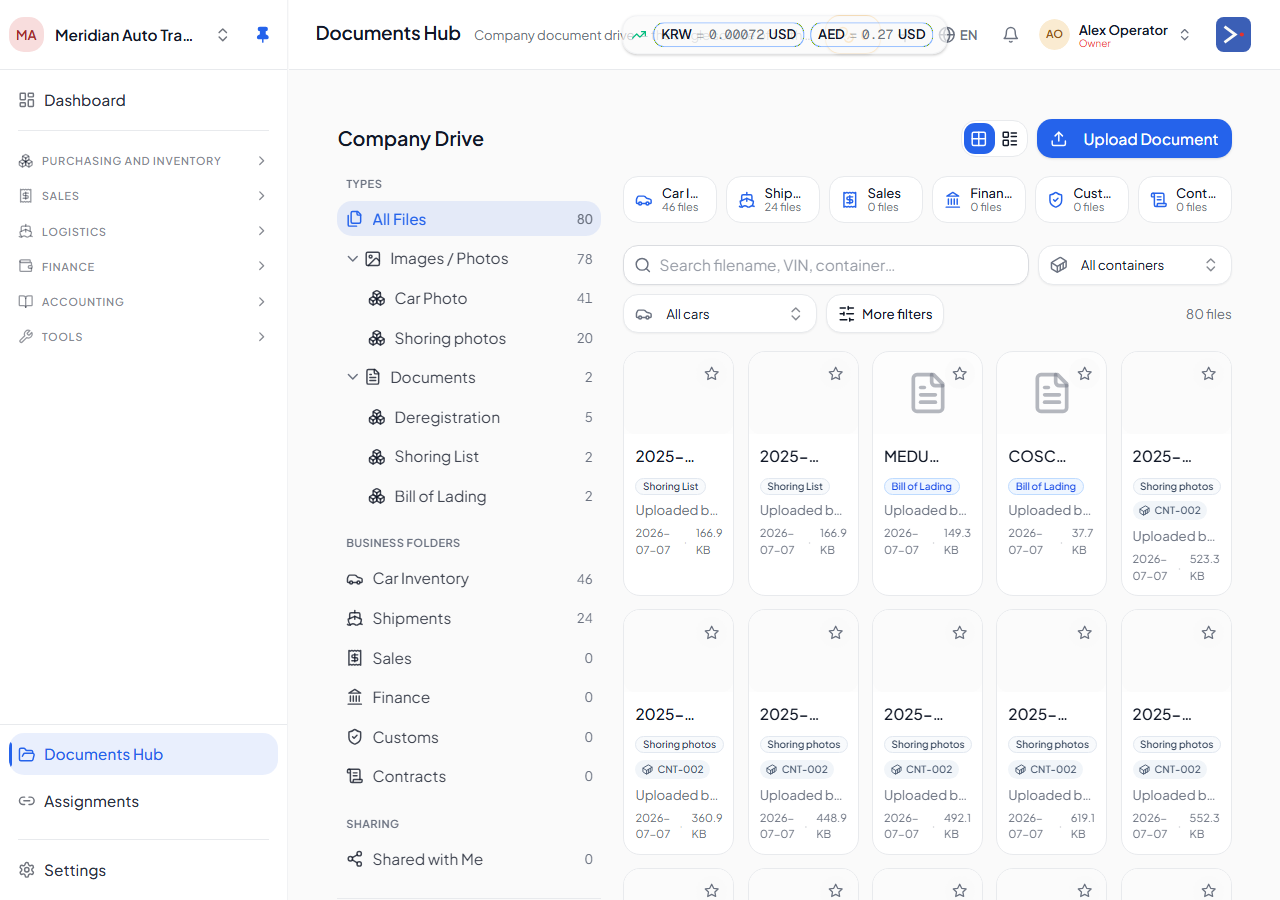
The Documents Hub (/documents) is a drive-style view of every document your company owns or has been shared — car photos and paperwork, container/shipping documents, permits, contracts, and anything else uploaded to the platform — in one searchable place, instead of hunting through each car or container record individually.
Browsing
Section titled “Browsing”Documents are grouped into folders by type (for example car photos, registration, export permits, purchase and sales contracts). You can:
- Switch between grid and list view.
- Search by file name or the car/entity it’s linked to.
- Sort by name, date, or size.
- Star documents you use often for quick access.
- Filter down to just documents linked to a specific entity, or filter by document type.
Clicking a document opens a preview drawer; images also open in a full lightbox viewer.
Uploading
Section titled “Uploading”-
Open Documents and choose Upload.
-
Select the file and its document type.
-
Optionally link it immediately to a car, container, or other record, and choose whether to share it with a specific company.
-
Save. The document appears in the hub and, if linked, on the record it was attached to.
Sharing a document
Section titled “Sharing a document”From a document’s menu, use Send to deliver it to someone outside the upload flow:
- Email — sends a branded email with a time-limited download link (no attachment, so large photos aren’t a problem).
- WhatsApp — opens a pre-filled WhatsApp message with the same link.
- In-app — shares the document with another registered company on the platform, so it shows up in their Documents Hub too.