

Chart of Accounts
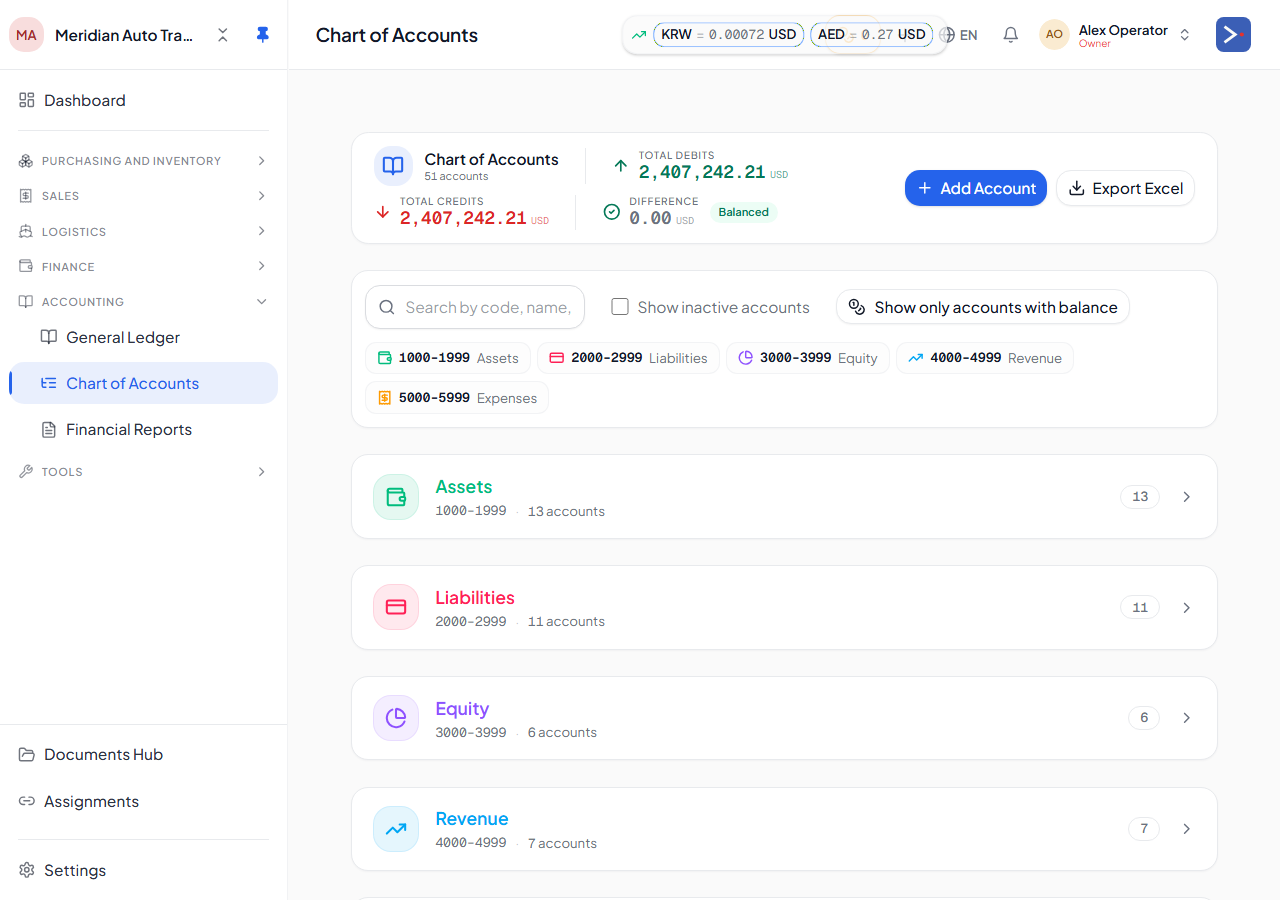
Every Export119 company is seeded with a standard Chart of Accounts (CoA) at sign-up. The numbering is type-first:
| Range | Type | Examples |
|---|---|---|
| 1xxx | Assets | 1001 Cash, 1050 AR, 1100 Inventory (header) → 1101 Cars Inventory |
| 2xxx | Liabilities | 2000 AP (header) → 2001 leaf, 2100 Tax Payable, 2700 Investor Capital Payable |
| 3xxx | Equity | 3000 Equity (header) → 3001 Owner’s Capital, 3002 Opening Balance Equity, 3300 Drawings |
| 4xxx | Revenue | 4000 Sales Revenue, 4900 FX-Gain (header) → 4901 Forex Gain |
| 5xxx | Expenses | 5000 Purchase Cost, 5020 Landed Cost, 5900 FX Losses |
Subtypes
Section titled “Subtypes”Each account also has a subType (cash, bank_account, receivable, payable, inventory_cars, capital, drawing, etc.). Subtypes are the canonical resolver — server code never looks up by code, always by subType. This means renaming “1100 Inventory of Cars” to “1101 Used Cars Held” doesn’t break anything; the subType inventory_cars is what other code keys on.
Hierarchy
Section titled “Hierarchy”Some accounts are parents with leaves beneath them. The most common case:
1001 Cash(parent) with one leaf per vault:1001-001 Cash KEB USD,1001-002 Cash KEB KRW, etc.1002 Bank Accounts(parent) with one leaf per bank account, similarly per currency.
The same header/leaf pattern applies to several other type headers you’ll see in the catalog — e.g. 1100 Inventory (header) with leaf 1101 Cars Inventory, 2000 AP (header) with leaf 2001, 3000 Equity (header) with leaf 3001 Owner's Capital, and 4900 FX-Gain (header) with leaf 4901 Forex Gain.
GL posts always hit leaves, never parents. Parents roll up in reports.
Counterparty categories
Section titled “Counterparty categories”Counterparties (suppliers, buyers, banks, owners, investors, etc.) carry a categoryCode. Each category has a default defaultArAccountSubtype and defaultApAccountSubtype that route the GL when a counterparty has activity:
| Category | Default AR | Default AP |
|---|---|---|
| supplier | (none) | payable (2001) |
| buyer | receivable (1050) | (none) |
| consignor | due_from_consignor (1252) | payable_to_consignor (2301) |
| bank | bank_balance (1002) | loan_principal (2500) |
| owner | (none) | capital (3001) |
| investor | (none) | investor_capital_payable (2700) |
| director | due_from_director (1400) | due_to_director (2120) |
| partner | (none) | partner_loan (2502) |
Adding custom accounts
Section titled “Adding custom accounts”Open Chart of Accounts → + Add account. Pick a type, subType (from the catalog), code (4-digit, must be unique within type range), and name (multi-language). The account is immediately available everywhere.
Deactivating an account
Section titled “Deactivating an account”Soft-delete only (preserves history). The account stops appearing in new-transaction pickers but stays visible on historical reports.
Related
Section titled “Related”- How your money flows — plain-language version of this page
- The general ledger
- Trial balance & reports
- Opening balance equity