

Purchasing inbox
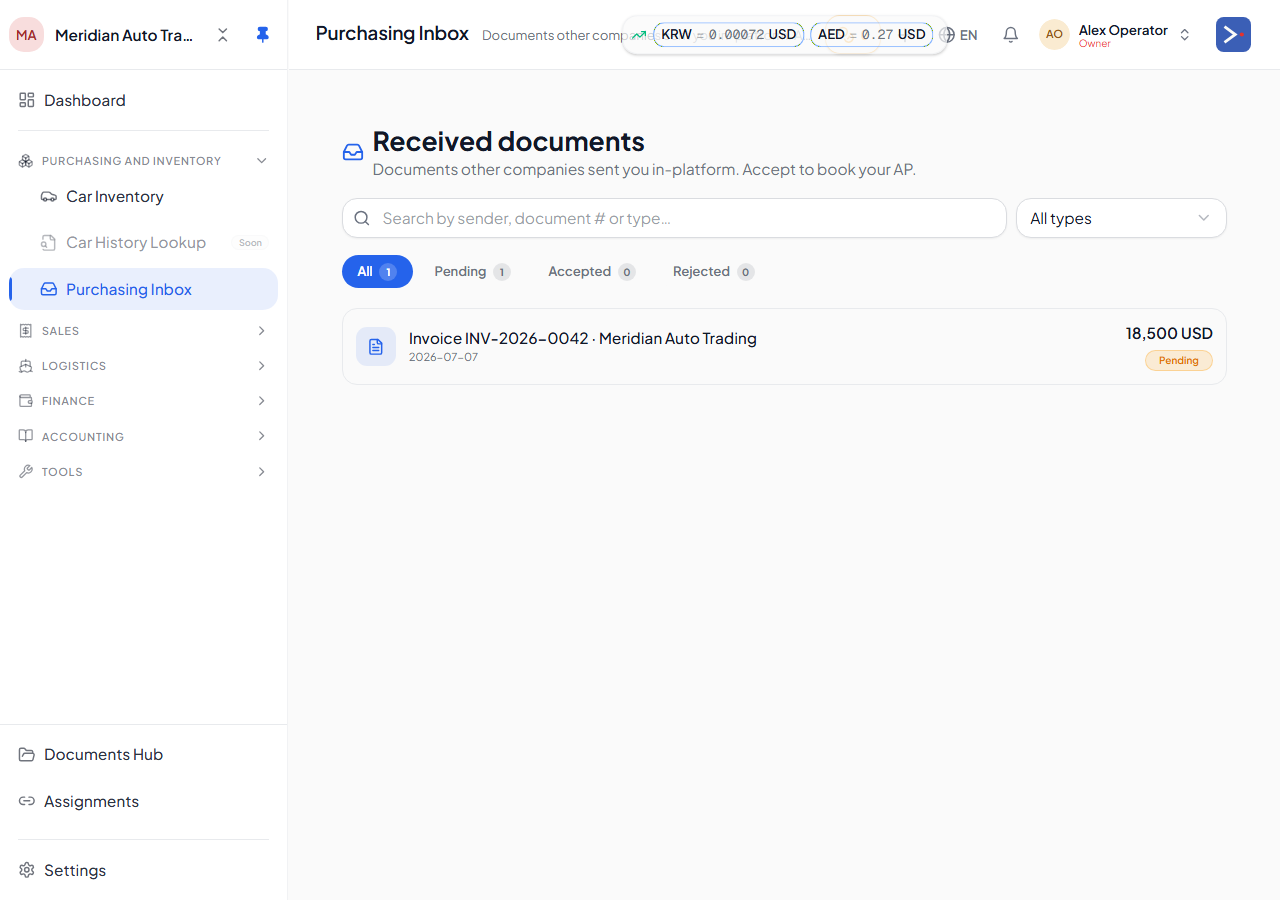
The Purchasing Inbox (/purchasing-inbox) is where documents sent to you by another Export119 tenant land for your review — most commonly an invoice from a supplier who also trades on the platform. Nothing from these documents posts to your books until you act on it.
How documents arrive here
Section titled “How documents arrive here”If you and a supplier are both on Export119 and have linked your companies as trading partners, the supplier can issue documents directly to you in-platform instead of sending a PDF over email. Each one shows up here as a pending item, with a status of pending, accepted, rejected, or superseded.
Reviewing an item
Section titled “Reviewing an item”Open a pending item to see what the seller sent — cars, prices, and terms — along with any photos or attached files, and to check how the seller counterparty on your side will be resolved (an existing contact, or a new one).
Accepting or rejecting
Section titled “Accepting or rejecting”- Accept — the platform creates the corresponding records on your side: car(s) added to your inventory, and the amount you owe recorded as payable to that supplier. You can optionally link the incoming document to an existing counterparty contact instead of creating a new one.
- Reject — send it back with a reason; nothing is created on your side, and the sender sees why it was rejected.