

Counterparty balances
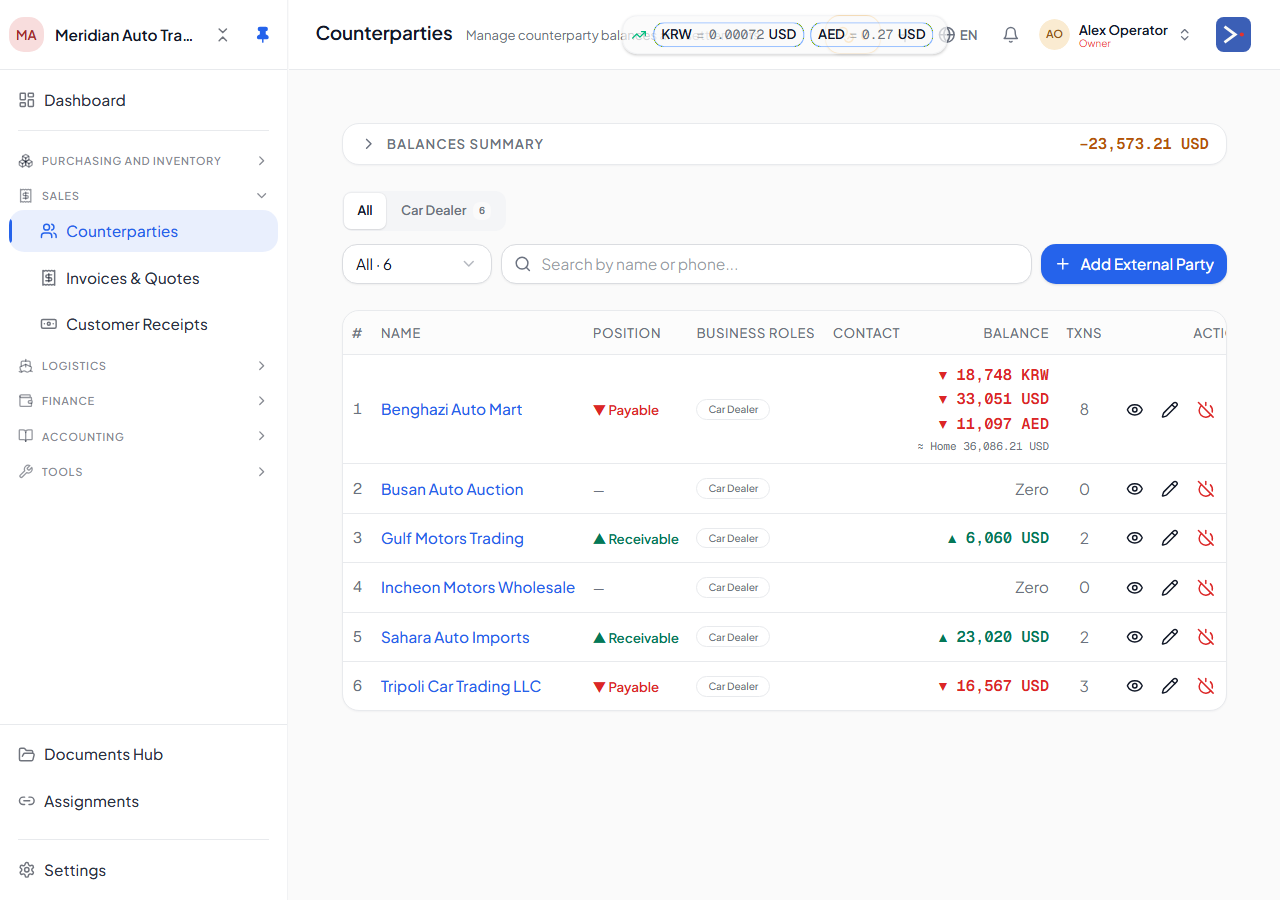
The Counterparty Balances page (/counterparty-balances) is your master address book for everyone you trade with — buyers, suppliers, forwarders, consignors, owners, and anyone else you exchange money or cars with — alongside a running balance for each: what they owe you, or what you owe them.
One contact, multiple roles
Section titled “One contact, multiple roles”A counterparty is a single contact record that can hold more than one role at the same time. The same company might be your supplier for some purchases and also a buyer of cars you export, or a forwarder that also invests as an owner. Rather than creating a duplicate contact per role, you assign roles to the one record — buyer, supplier, consignor, forwarder, owner, and so on — and every role shares the same balance history and contact details.
One role is marked as the primary role, which is used where the platform needs a single classification (for example, default GL routing). The others still apply for filtering, reporting, and access.
The balances view
Section titled “The balances view”For each counterparty, the page shows their net balance in each currency they’ve transacted in — a positive balance means they owe you, a negative balance means you owe them. From here you can:
- Filter and search by name, role, or category.
- Drill into a counterparty to see their transaction history — invoices, receipts, payments, and any linked documents.
- See counterparties who are linked to another registered Export119 tenant (used for cross-tenant trading) versus ordinary external contacts.